Back to home Feature · Input

Your TV remote already knows how to run it.

The entire UI is keyboard-navigable — which means the universal remote already sitting on your coffee table can drive the whole thing. No proprietary app, no special gadget. Use whatever's already in your hand.
Your own universal remoteGamepad-readyMouse & keyboard at the desk
Install All features
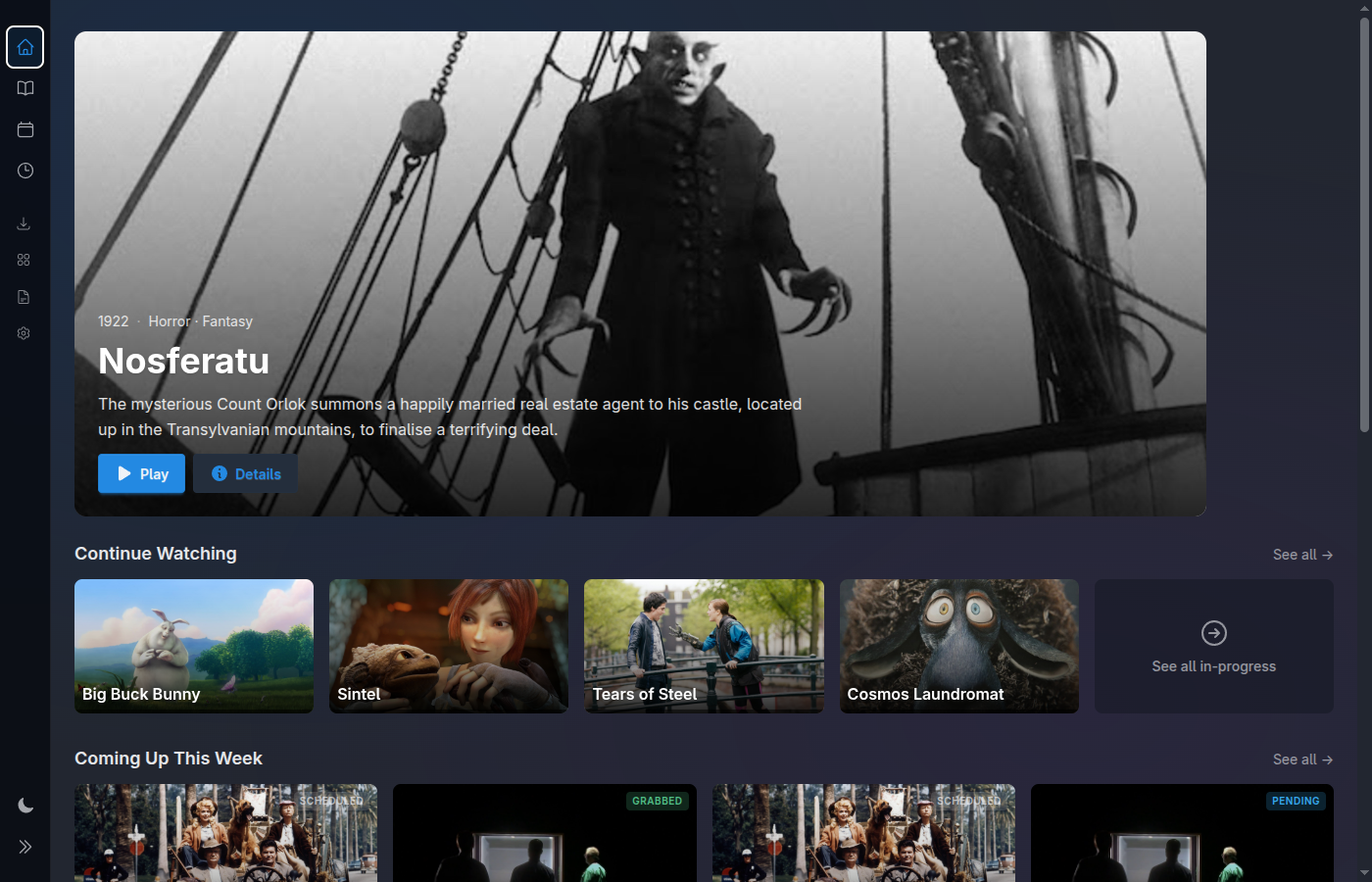
Home screen with large artwork and readable focus
No special hardware · no extra app

The remote you already own.

Because every screen is fully keyboard-navigable, anything that can send a keystroke can drive Media Centaur. That includes the universal remote already on your coffee table — so the thing you use to turn on the TV can just… run your media center. Nothing proprietary to install, nothing extra to buy.

Flirc learns your IR remote

A Flirc USB receiver teaches itself the buttons on the remote you already have and emits plain keystrokes. Point it, press, done — the remote on your coffee table now navigates the library.

Or a Bluetooth remote

Already have a Bluetooth remote that emits keystrokes? Pair it and its direction and select buttons drive the exact same focus — no IR receiver, no cable, no setup beyond pairing.

Nothing proprietary to install

There's no companion app and no required gadget. Media Centaur never asks you to adopt its remote — it adapts to the one in your hand by listening for the keys it already sends.

One model, any device

It all funnels into one keystroke-driven focus system, so a new control device "just works" the moment it sends keys — no bespoke integration per remote, gamepad, or dongle.

Why it works

Keyboard-navigable, end to end.

The remote magic isn't a remote feature — it's a side effect of one decision: every action in the UI can be reached by keystroke. Arrow keys move focus across rows and grids; Enter opens; Esc backs out. Build the navigation that way and any keystroke source inherits it for free.

The keys, spelled out

Directional focus, select, and back — the small, predictable vocabulary every keystroke device maps onto. Learn it once on a keyboard and your remote or gamepad already speaks it.

EnterEsc/

A gamepad, too

A controller is just another keystroke source. D-pad to move, A to select, B to go back — a peer option for the couch alongside your universal remote, with no second UI to learn.

D-padAB
Built for the distance

Readable from across the room.

Dark-first, large artwork, and focus states designed to be obvious from ten feet back — so driving it by remote from the couch feels natural, not like squinting at a desktop app. And at the desk it's still just crisp at arm's length, where you reach for the mouse like you would in any normal app.

Dark-first interface Large poster artwork High-contrast focus ring Remote-friendly at ten feet
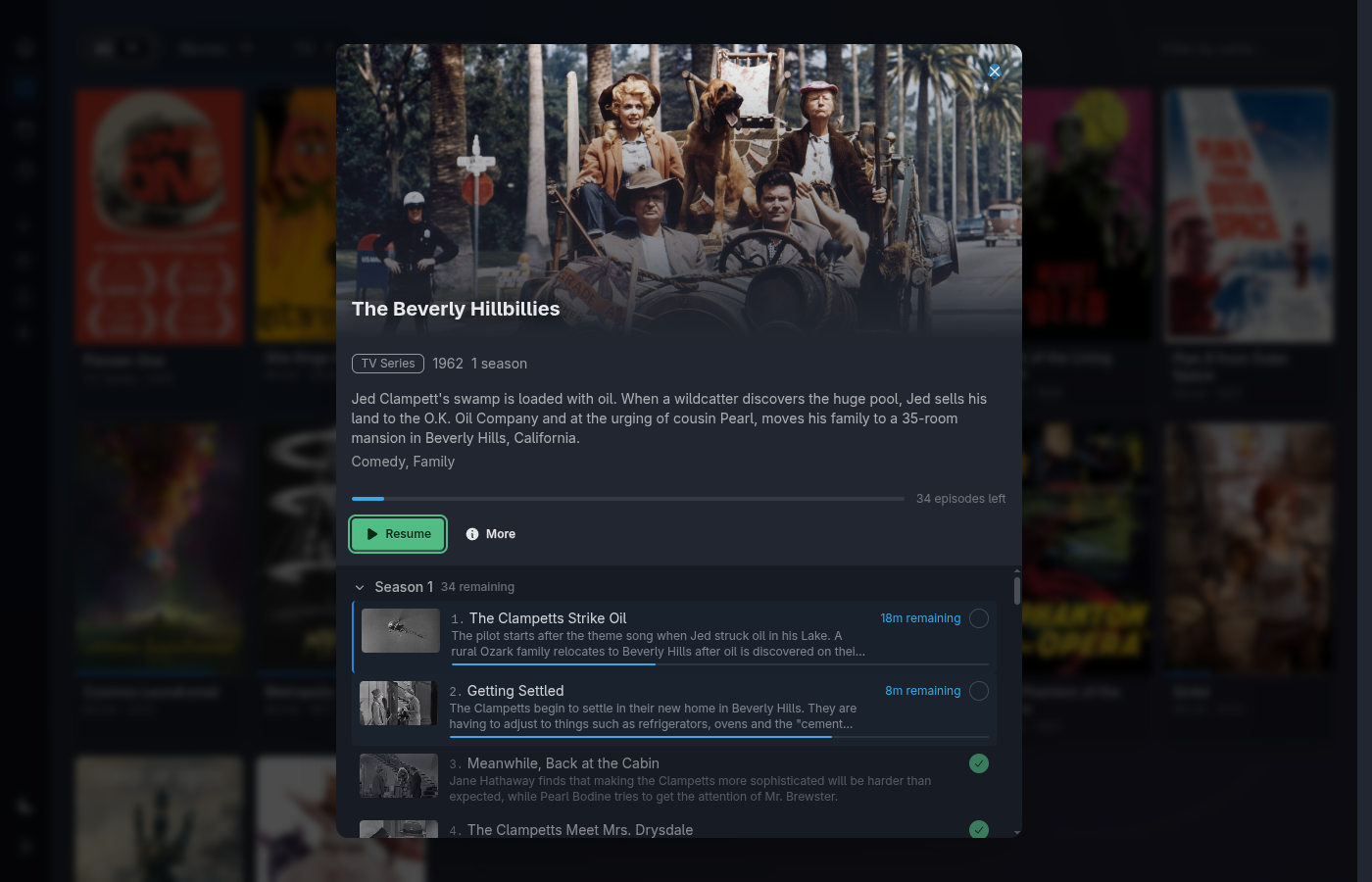
Series detail view with large artwork and clear focus
Readable focus

You always know where you are.

Whatever has focus stands out unambiguously — a clear, high-contrast indicator on top of generous artwork. Navigate a season, jump between episodes, open a detail view, all without hunting for the cursor.

It's the same readable focus no matter what's driving it: your universal remote or a gamepad from the couch, or — at the desk — the mouse and keyboard you'd use in any normal desktop app. One navigation model, legible at any distance.

Use whatever's already in your hand.

Downloads the latest release, verifies its checksum, installs atomically, and sets up a service unit. Your universal remote (via Flirc or Bluetooth), a gamepad, or mouse and keyboard at the desk — all first-class from the first launch.

$ curl -fsSL https://raw.githubusercontent.com/media-centaur/media-centaur/main/installer/install.sh | sh