Back to home How it works

From a folder of files to a couch-ready library — in four steps.

No Docker compose to babysit, no metadata agents to wire together. You point Media Centaur at your directories and it does the rest — identify, illustrate, track, and play — fast at your desk, comfortable from the couch.

01Set up once

Point it at your directories.

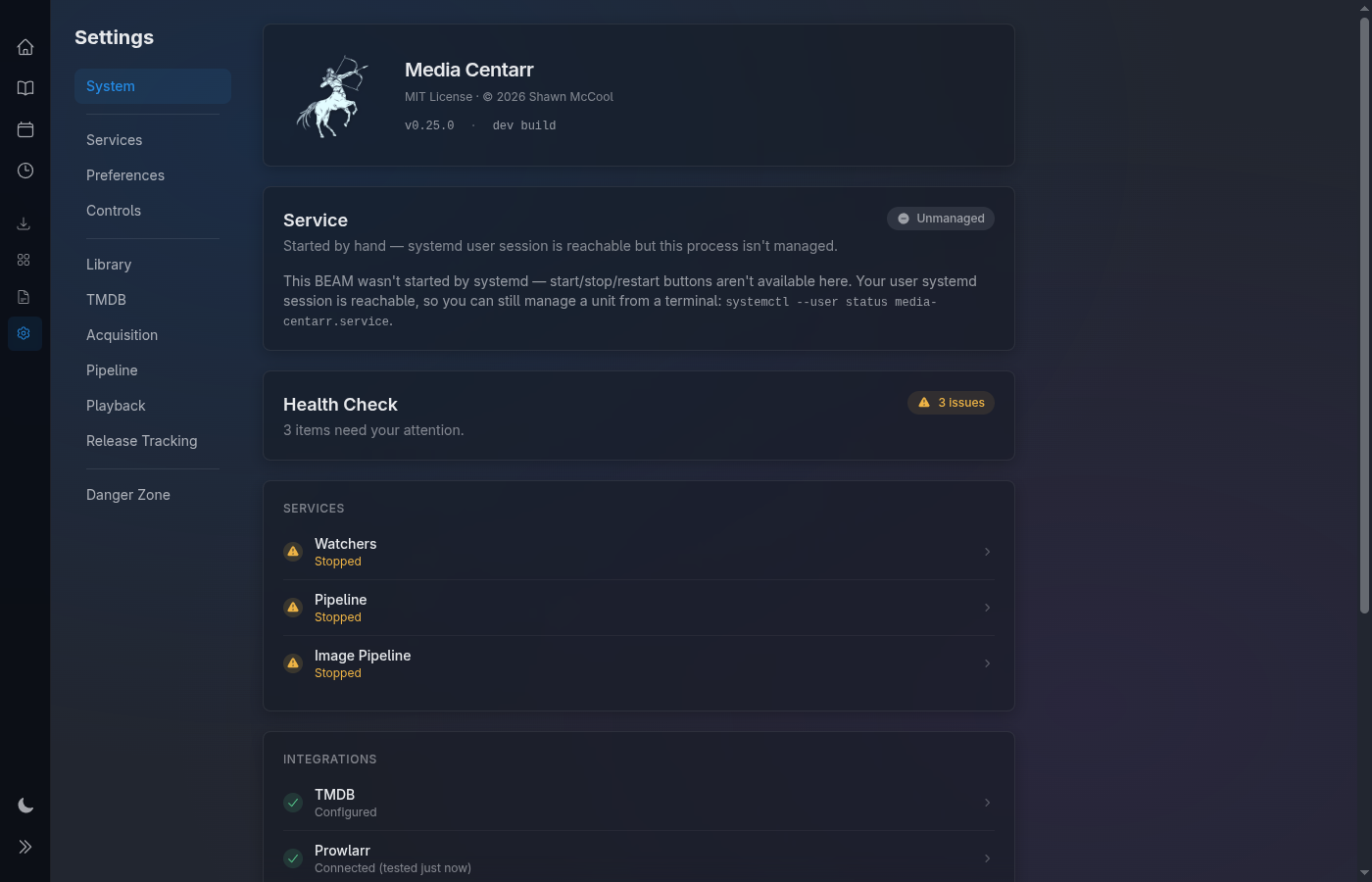
Tell Media Centaur where your video files live and it starts watching them. That's the whole configuration — zero-config SQLite under the hood, so there's no Docker stack, no Postgres, and no server to stand up first.

The database is a single file you can read, back up, and move. Nothing about your setup is locked away in a container volume you can't reach.
SQLite · one file No Docker No server to run
Settings overview — point Media Centaur at your media directories
02Hands-off

It identifies everything.

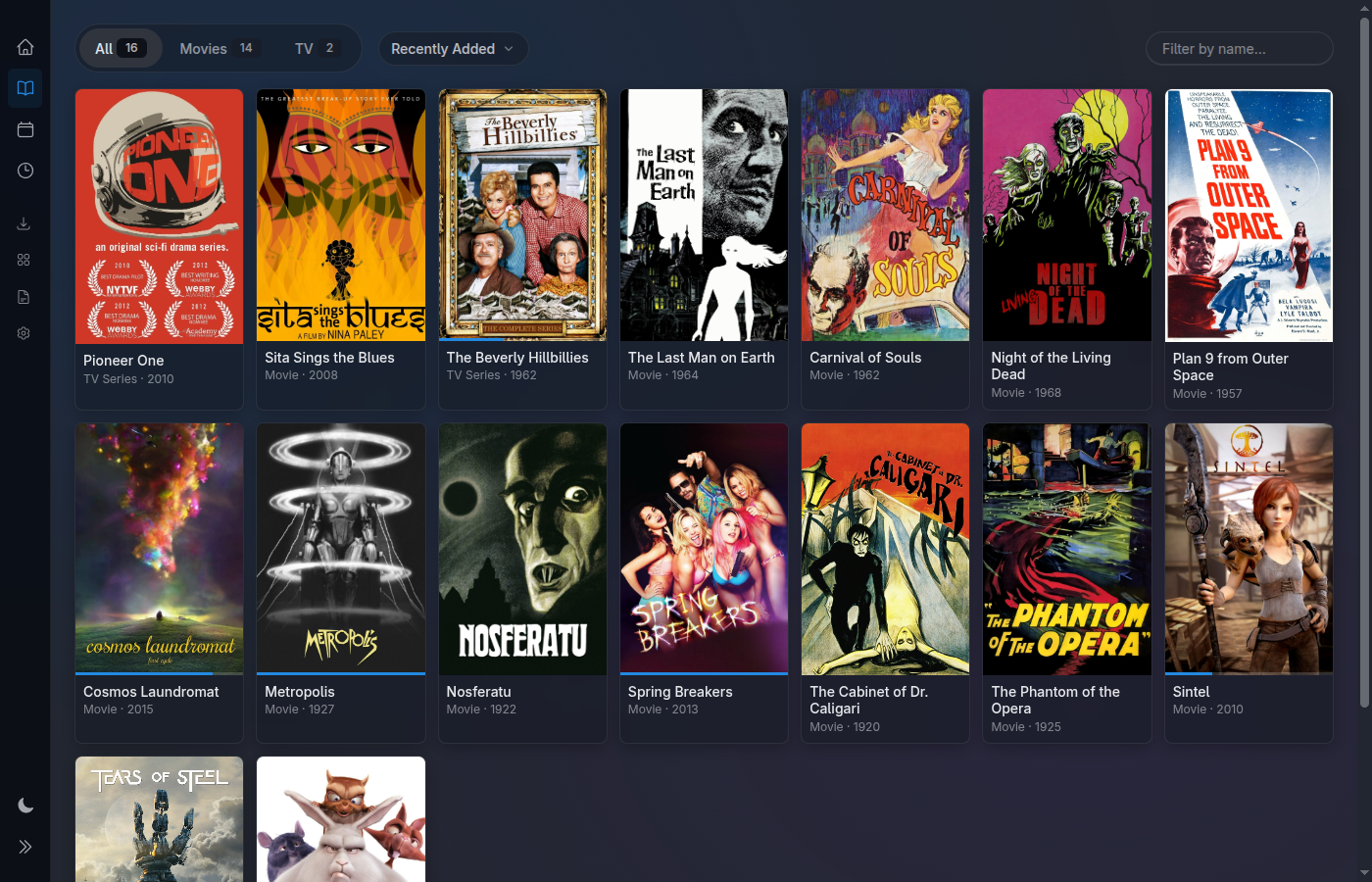
Media Centaur watches those directories, parses each filename, matches every movie and show against TMDB, and downloads the artwork. New files get picked up as they land.

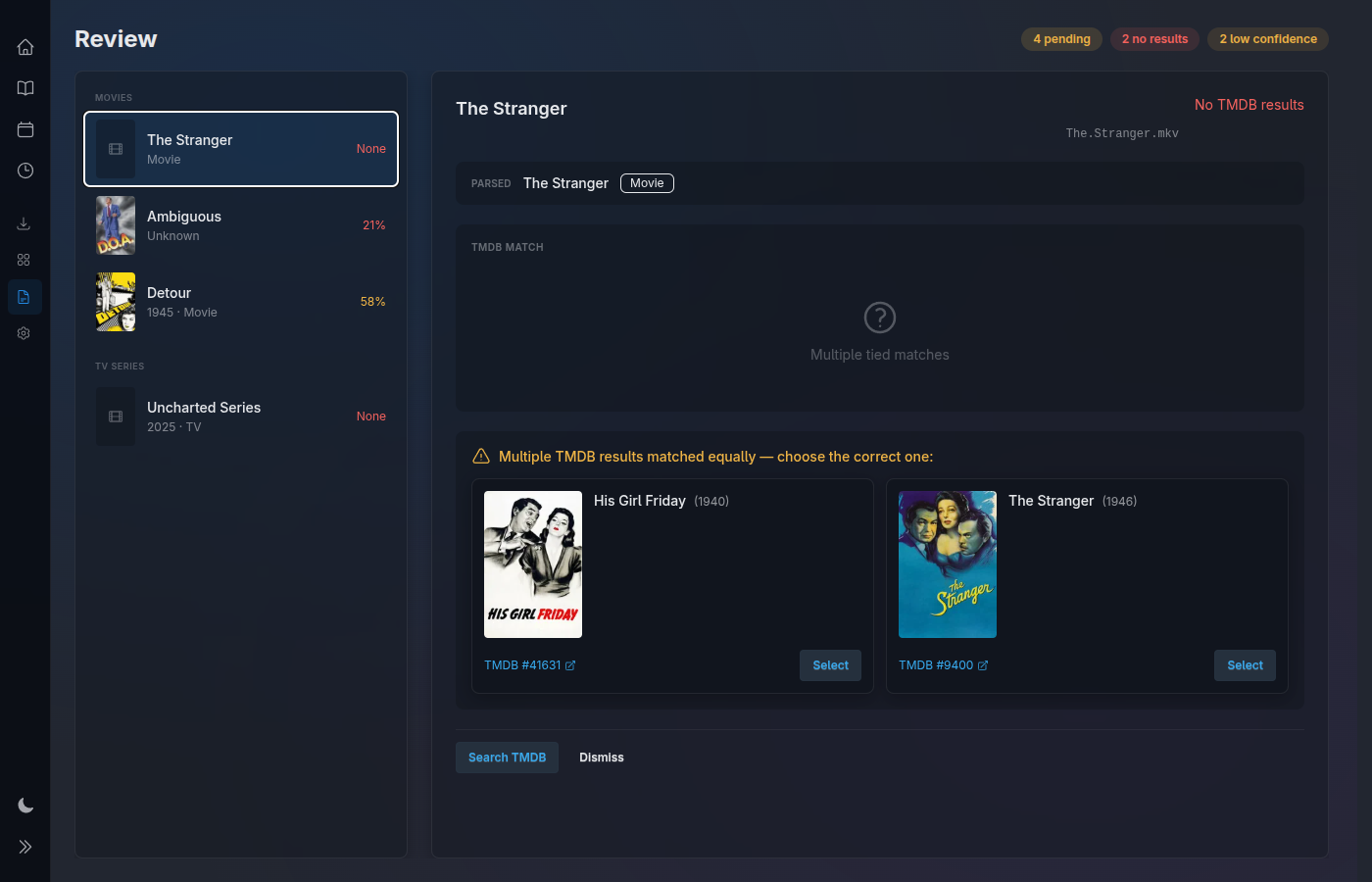
Anything it isn't confident about doesn't guess — it waits in a Review queue so a sloppy release name never becomes the wrong title on your wall. You confirm, it learns the rest.
Filename parsing TMDB match + artwork Low-confidence → Review
Review queue — low-confidence matches wait before they land
Library grid filling in as titles are identified
03Two postures

Browse your library — desk or couch.

What you get is a wall of artwork, dark-first and large. At your desk it's keyboard-fast and mouse-friendly; from the couch the same screens drive on a gamepad or remote.

One control surface, two postures — there's no separate "TV mode" to switch into and no cut-down interface. The library you browse working is the library you browse relaxing.
Keyboard + mouse at the desk Gamepad / remote on the couch Large artwork · dark-first
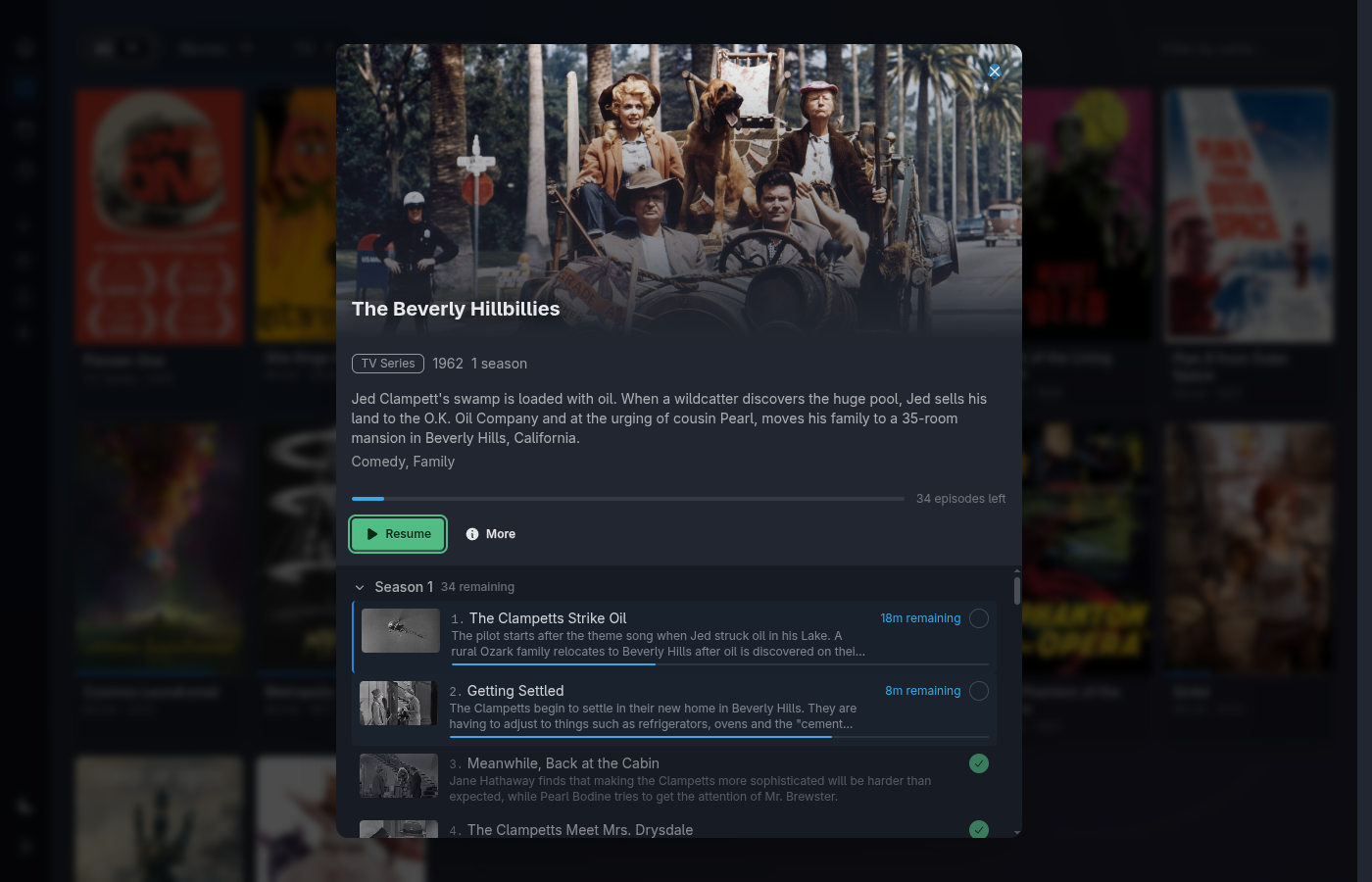
Series detail view — seasons, episodes and progress, couch-ready
04Just watch

Press play.

Selecting a title launches mpv on the machine it's running on — the same box driving your TV. Media Centaur tracks how far you got and resumes exactly where you left off.

When an episode ends, the next one is already queued, so a binge keeps rolling without you reaching for anything. Finished titles are marked watched on their own.
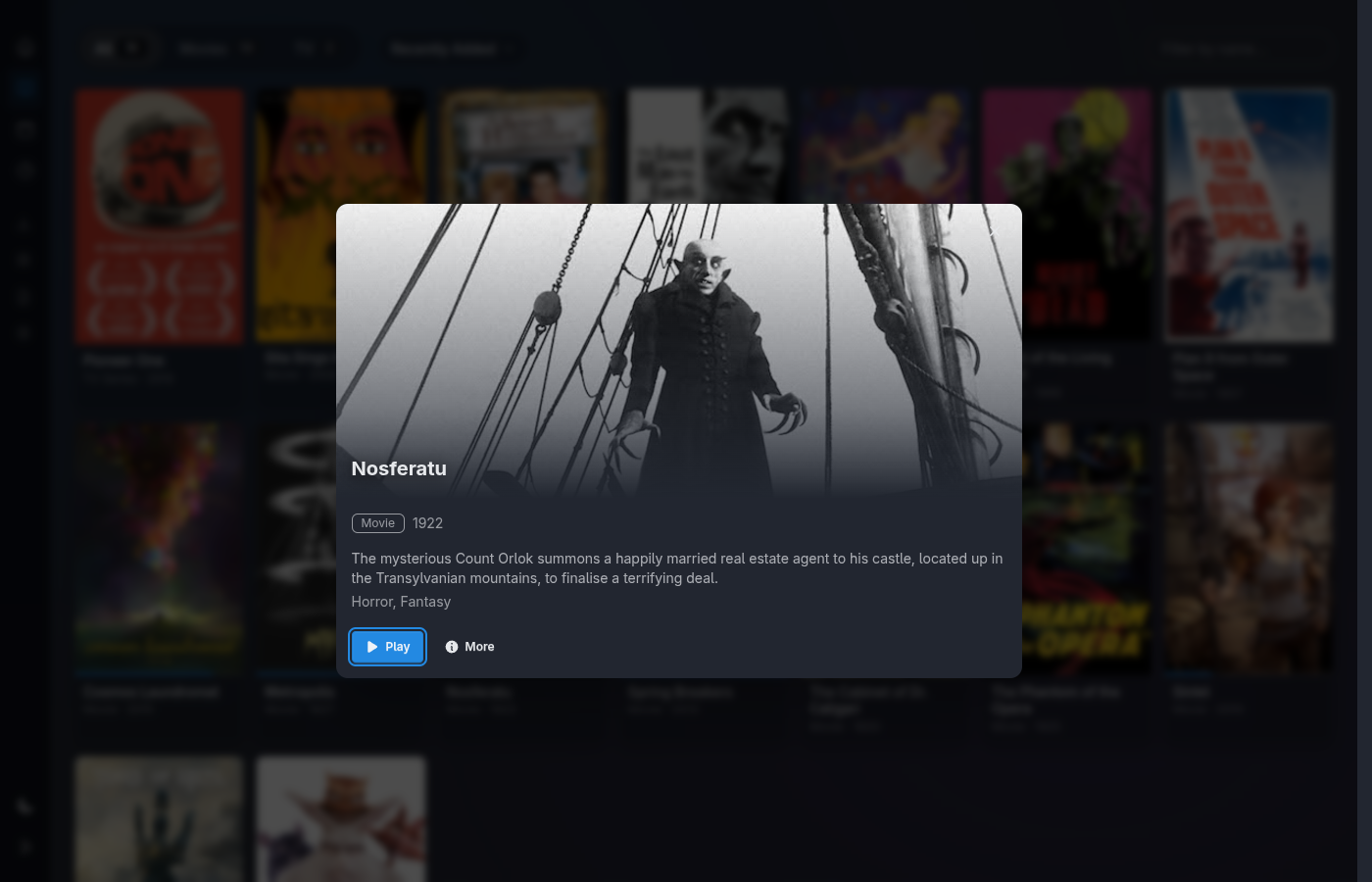
Launches mpv locally Resume to the frame Auto-advance episodes
Movie detail view with a resume affordance, ready to press play
What's underneath

One Elixir app from media directory to playback.

Those four steps are a single Phoenix application, not a stack you assemble. A filesystem watcher feeds an identification pipeline, results land in SQLite, and a real-time LiveView UI renders the library — the *ARR stack's whole job done in one app, with the decoding handed off to mpv.

Watch
Filesystem watcher
Sees new files land
Identify
Pipeline + TMDB
Parse, match, fetch art
Store
SQLite
One portable file
Render
LiveView UI
Real-time, no polling
Play
mpv
Decoding, full fidelity

Ready in one line.

Downloads the latest release, verifies its checksum, installs atomically, and sets up a systemd user unit (launchd on macOS). Then point it at your directories and let the four steps run.

$ curl -fsSL https://raw.githubusercontent.com/media-centaur/media-centaur/main/installer/install.sh | sh
Requires SQLite3 mpv inotify-tools a free TMDB API key

Installs on Linux x86_64 and Apple Silicon (experimental).