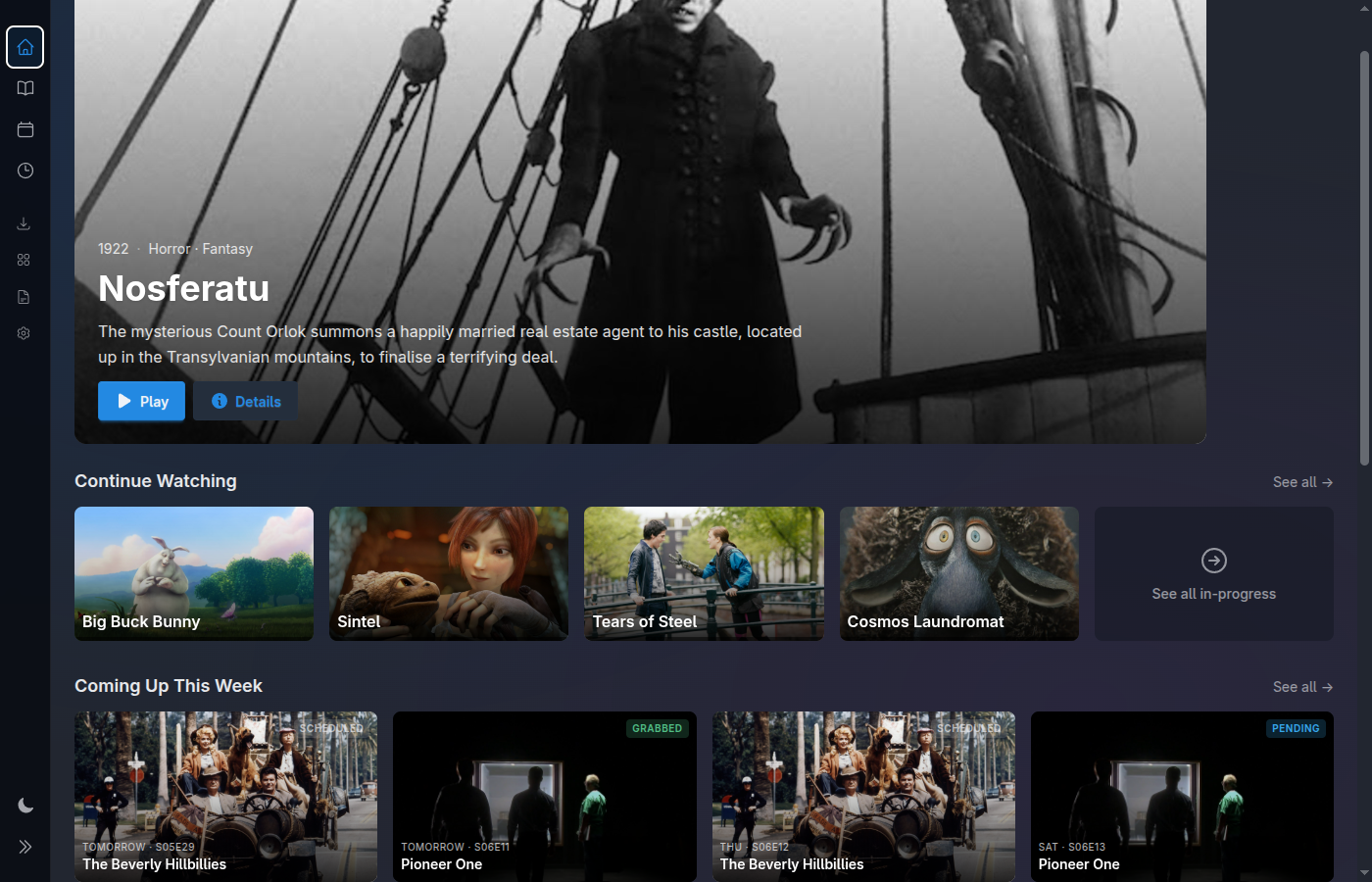
Flag an upcoming movie or a new season you're interested in. Media Centaur checks TMDB every day, and the moment it's released it's grabbed, imported, and slotted into your library — artwork and all. So the next time you sit down, it's simply waiting to be played. You showed interest once; the rest just happens.
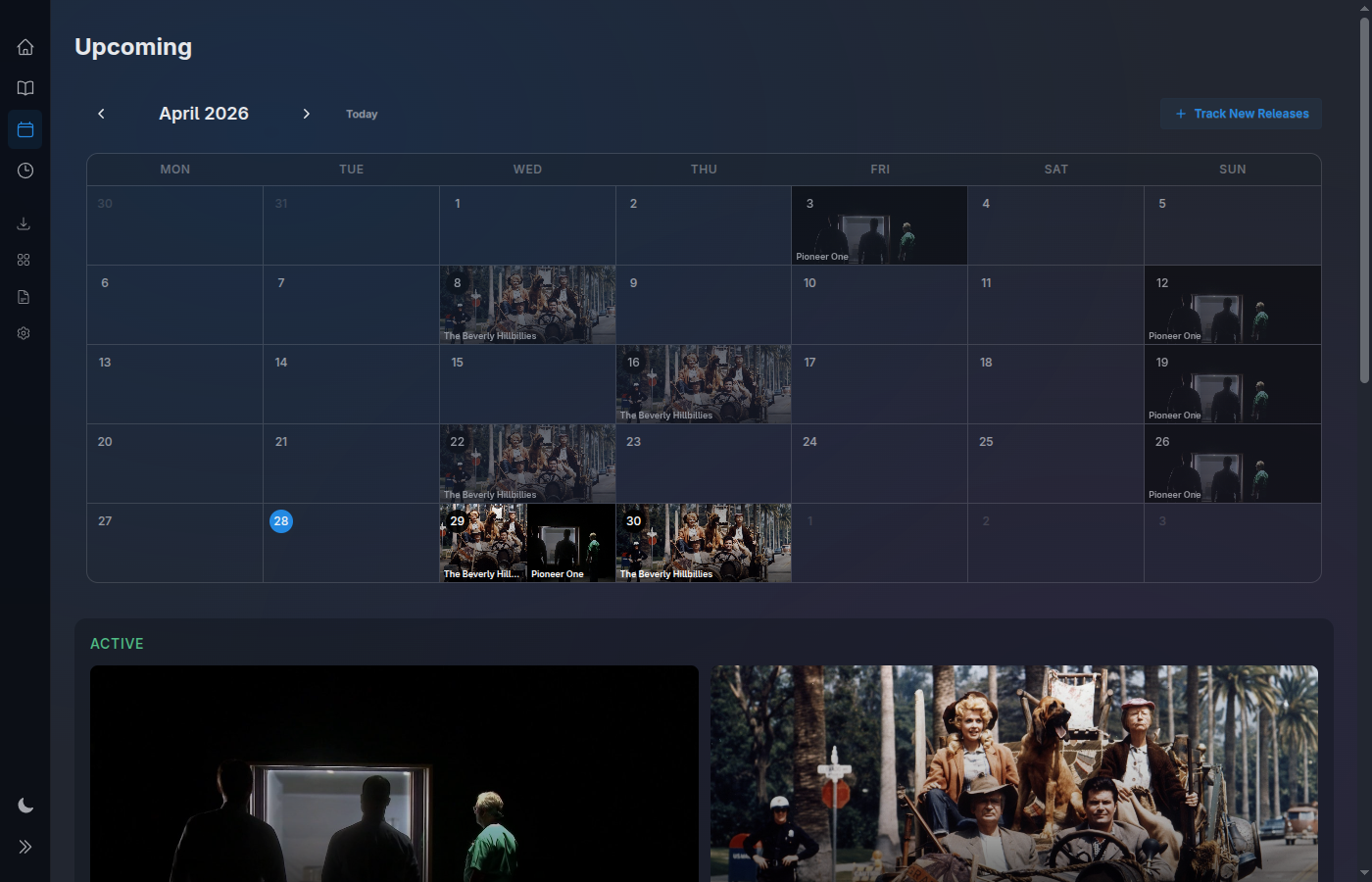
No notification to act on. No download to babysit. No "go grab it." A flicker of interest sets the whole chain in motion, and the only thing left for you to do is press play — whenever you happen to next sit down.
Flag an upcoming movie or a new season of a show you own — just mark that you're interested. That's the last thing you do.
Every day, Media Centaur checks TMDB for the release date — in the background, asking nothing of you while it waits.
The moment it's out, it's grabbed, imported, and matched — artwork fetched, slotted into the right show, ready like anything you already own.
Next time you open the app, it's simply there — waiting on the home screen, one press from playing. No further action from you.
Release tracking works on its own as pure awareness — and pairs with optional acquisition when you want a tracked release to be grabbed for you. Either way, it only watches the shows you already own.
Tracking is scoped to the shows you actually have. Media Centaur watches TMDB daily for new seasons of those series and for upcoming movies in the same vein — no manual watchlist, no noise from titles you'll never want.
Fresh releases surface in a Coming Up digest right on the home screen — the first thing you see — and in a dedicated Upcoming calendar when you want the full month laid out by date.
Every tracked release carries its own state — Pending, Searching, Grabbed, or Scheduled — updated in real time as things progress. You always know where each one stands without digging.
Turn it on and a tracked release can be grabbed automatically the moment it's available via your own indexers. Leave it off and tracking stays pure awareness — it never reaches out to acquire anything on its own.
The status moves with reality. A release you're only watching sits at Pending; one paired with acquisition walks itself toward Grabbed.
Tracked and on the radar, with nothing in motion yet — pure awareness, waiting for its date.
Acquisition is actively looking for a source across your configured indexers.
A release was found and queued — on its way to a download client and, soon, your library.
The release has a known future date and is slotted on the calendar until it lands.
The Coming Up digest rides on the home screen — so the new season you tracked weeks ago, the movie you'd half-forgotten about, is right there the moment you open the app. With acquisition on, it's already grabbed and ready; without it, the digest is your "it's out now, go get it" cue.
It updates the instant anything changes: a date confirmed, a search started, a release grabbed. No refresh, no polling — the digest is always current because the whole UI is real-time.
The fully hands-off arrival is real — but it rides on the optional acquisition integration. With it on, release tracking finishes the job for you. With it off, tracking still earns its keep: it keeps you aware, you just do the grab yourself.
Turn on acquisition and a tracked release is grabbed the moment it's available, imported, and waiting in your library. This is the "show interest, then wake up and it's there" experience — no manual step ever again.
Turn this on with optional acquisitionWithout acquisition, tracking never reaches out to download anything. You still get the full heads-up: the Coming Up digest and the Upcoming calendar tell you the moment it's out — and then you go grab it yourself, your own way.
No indexers required · nothing acquired on your behalf.The Upcoming calendar lays every tracked release out by date — new seasons and upcoming movies for the titles you own, side by side. Glance at the month and know exactly when to expect what, with each date carrying its live status.
Watches your directories, identifies titles via TMDB, downloads artwork; low-confidence matches wait for review.
Learn moreLaunches mpv locally, resumes where you left off, auto-advances, world-class subtitles.
Learn moreSearch and queue downloads via Prowlarr. Entirely optional; bring your own indexers.
Learn moreKeyboard and mouse at the desk, gamepad or remote on the couch. Large artwork, dark-first.
Learn moreEvery change appears instantly via Phoenix LiveView. No polling, no refresh button.
Learn moreThe whole pipeline, end to end — discovery, import, image fetching, and the data model behind it.
Learn moreOne line installs the latest release, verifies its checksum, and sets up a user service. Linux x86_64 is the primary, fully-supported platform; macOS Apple Silicon is experimental.
curl -fsSL https://raw.githubusercontent.com/media-centaur/media-centaur/main/installer/install.sh | sh